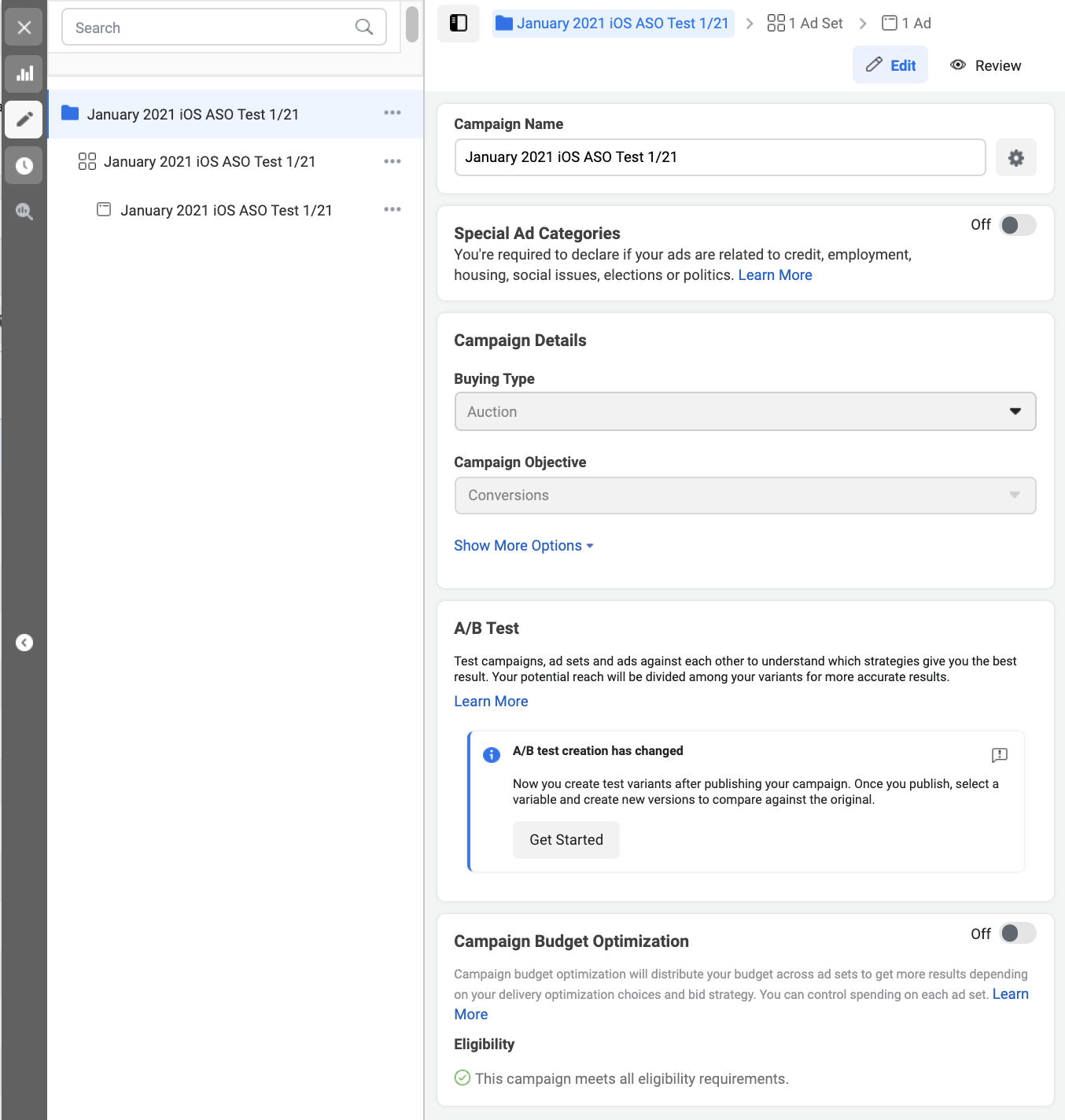
Campaign Settings:
● Buying Type: Auction
● Campaign Objective: Conversions
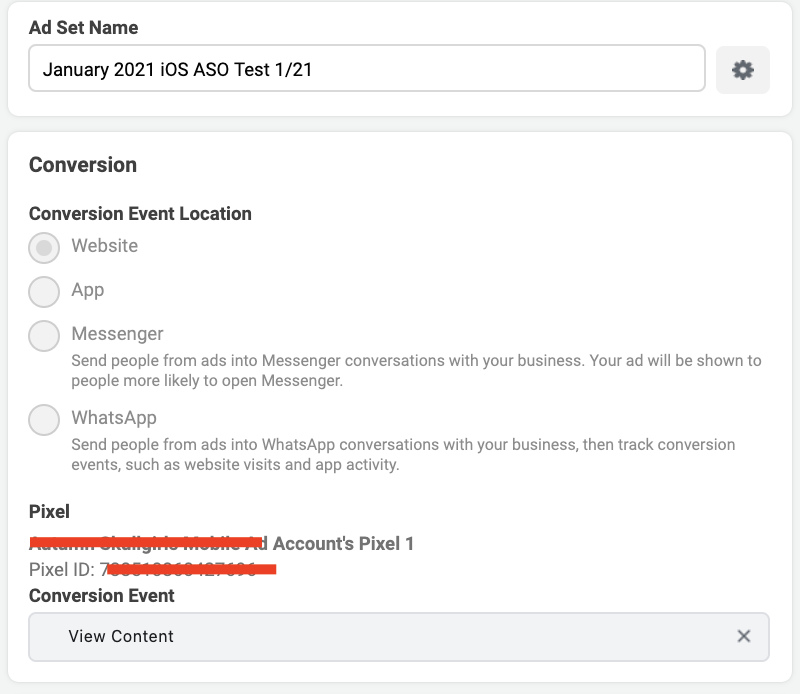
Ad Set Settings:
● Conversion Event Location: Website
● Need to create Pixel
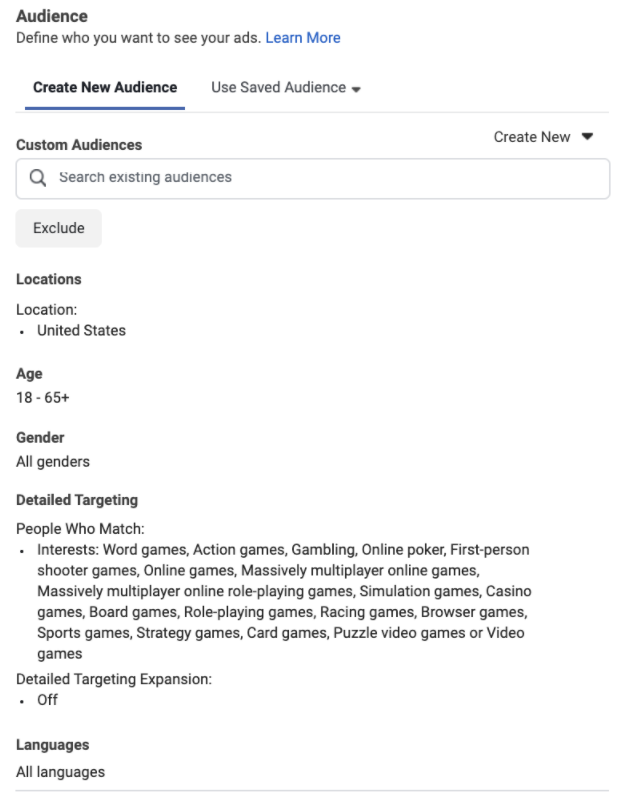
Audience: Recommend light audience targeting layer. A good strategy is to copy audience targeting from one of your existing broad UA campaigns. Example below from a gaming app:
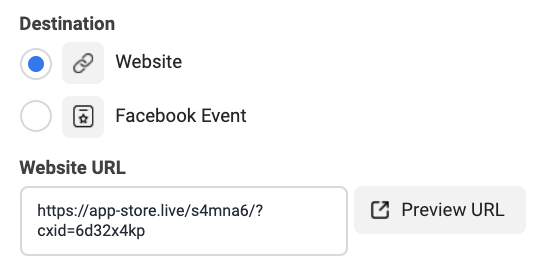
Ad Settings:
Destination: Website
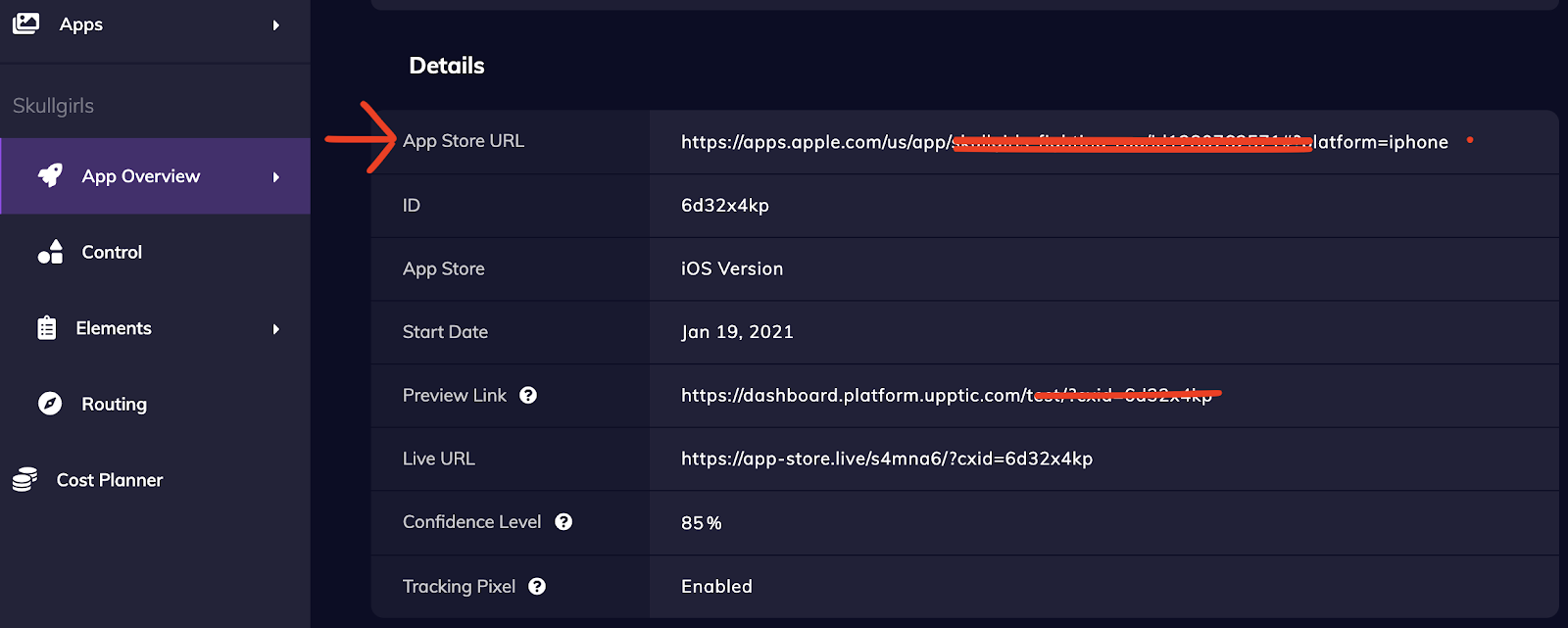
Paste new app store link from Upptic Platform
Facebook Conversion Pixel:
For conversion based campaigns, you can set up a Facebook Conversion Pixel in the Upptic ASO Platform.
You can place or edit a conversion pixel by going to the App Overview page for your app, scroll down to the Details section, and click Edit on Tracking Pixel.
Quick note about Facebook (and similar) traffic not matching exactly to numbers in platform:
It is almost always the case that the amount of traffic displayed from the traffic source and what shows up in Upptic will be different. Upptic will track all traffic that comes in. A traffic source such as Facebook will often send some extra traffic via crawlers as soon as you post the Live URL on Facebook, and this data won’t show up on Facebook’s platform. But in the grand scheme of things, this is a negligible amount of traffic and should not affect test results.