In Upptic's ASO platform, all assets' data are collected and displayed as cumulative values. I.e. if the Control Icon has 1,000 visits and 400 conversions, that data could have be a day's worth of data or gather over the course of several months. When our algorithm compares performance of assets, it's only looking at these cumulative values.
Naturally, at some point, data that is too old becomes irrelevant and should not dictate optimization decisions we make today any longer. This could become the case when you have a well performing Control that hasn't has anything beat it in awhile. The Control could have achieved higher than expected performance last month, and that data perhaps should not be included in new tests today, as we have to remember - sentiment and performance varies over time.
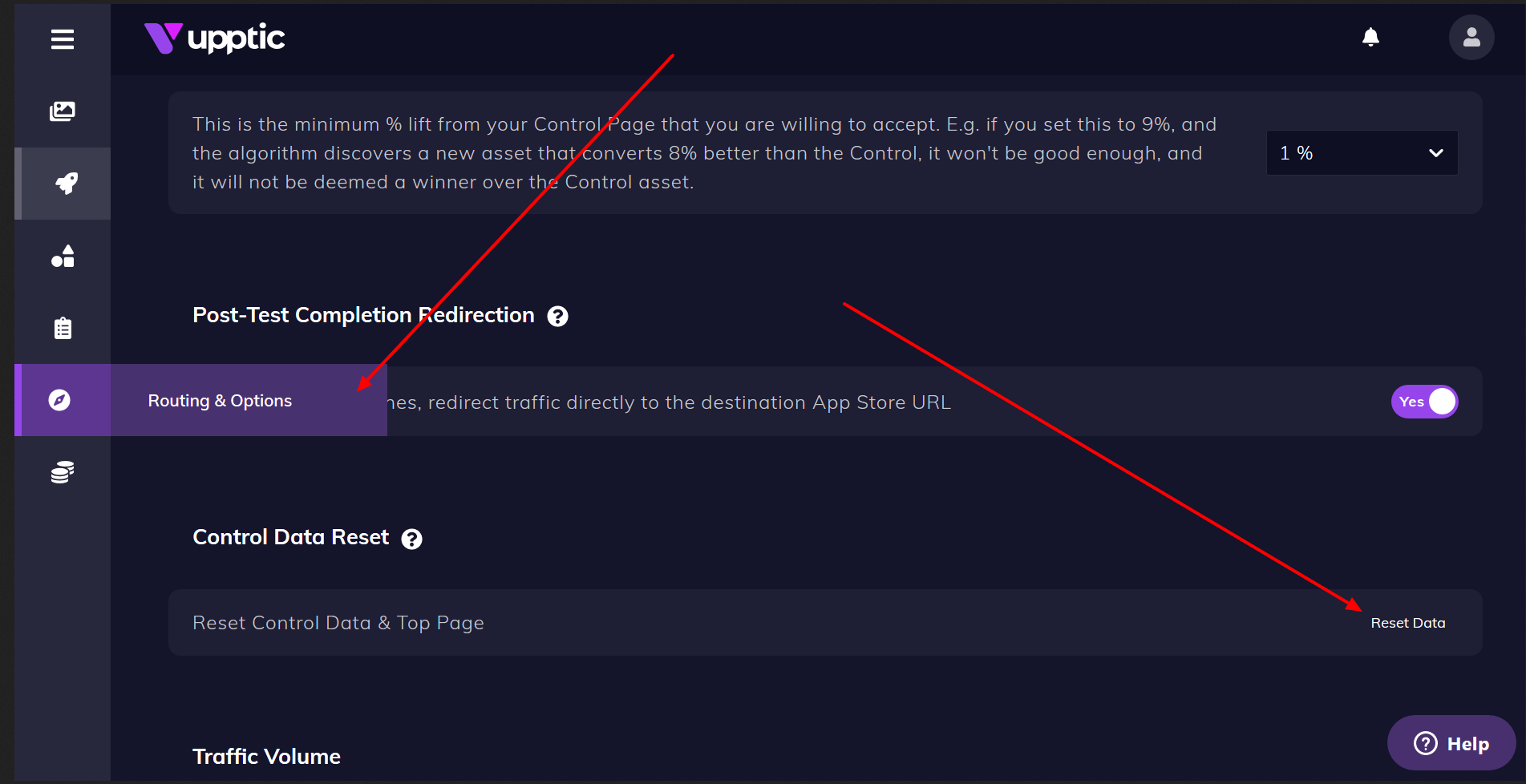
This is the reason we created the "Reset Control Data" function: to allow you to periodically reset the Control so it tests on an even ground against new variants you upload:
Best Practices
You may reset Control data however often you deem appropriate. It's a matter of how long it takes for your traffic data to become less relevant, if the traffic targeting has changed, if you're restarting testing after not testing for awhile, etc.
In general, it's healthy to reset Control data:
- Once a month
- Once every 3-4 test cycles (e.g. if any Control assets like the icon has gone through 3-4 tests)
- You're starting testing again after a hiatus
- Otherwise have accumulated a large amount of data
Historical data will be preserved, so you'll be able to reference past Control performance still. But, as the interface may change, you may want to save a few screen captures of the current view before doing so.