For conversion based campaigns, you can set up a Facebook Conversion Pixel in the Upptic ASO Platform.
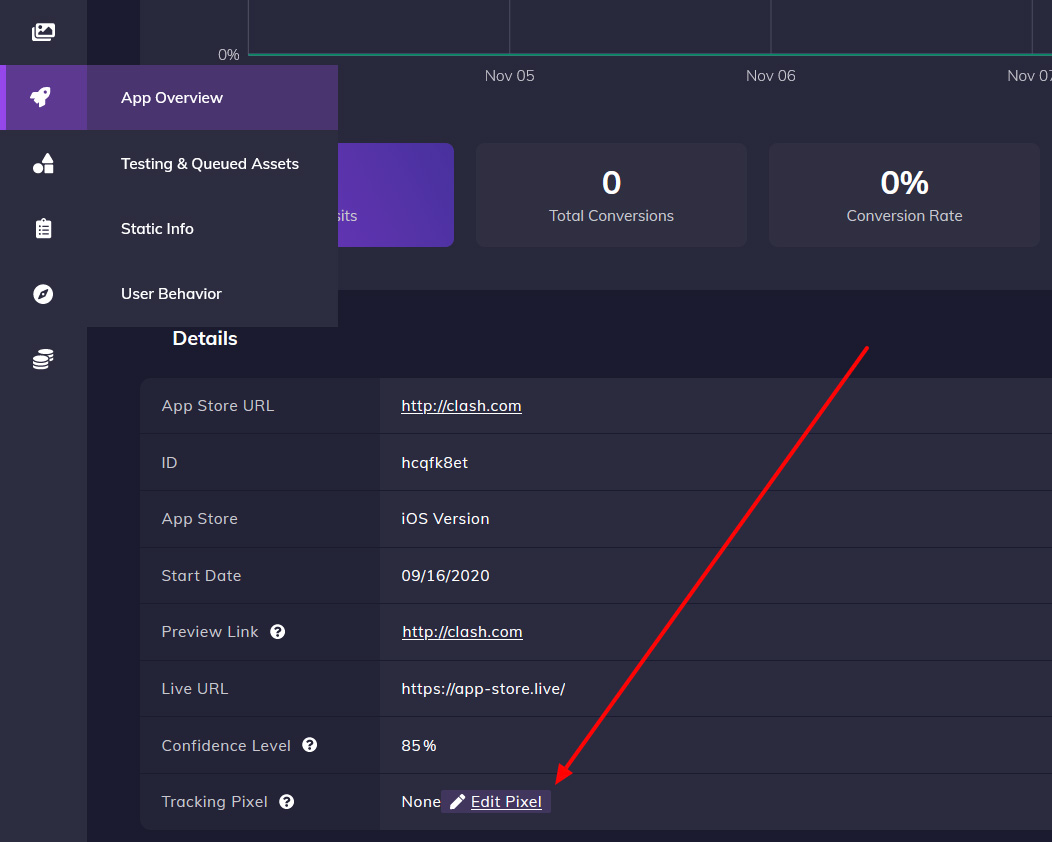
You can place or edit a conversion pixel by going to the App Overview page for your app, scroll down to the Details section, and click Edit on Tracking Pixel:

To verify the Upptic ASO domain in Facebook, follow these directions:
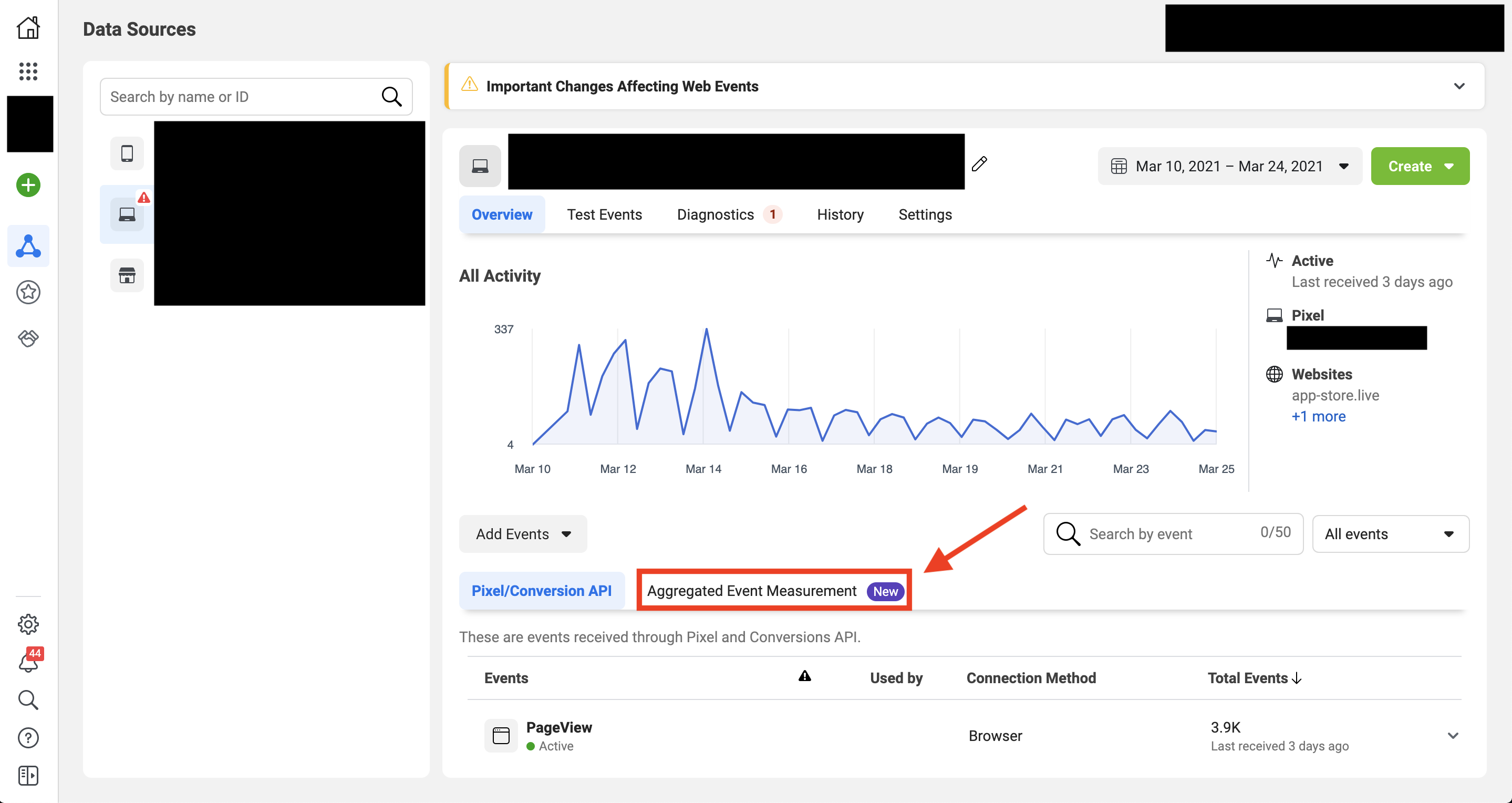
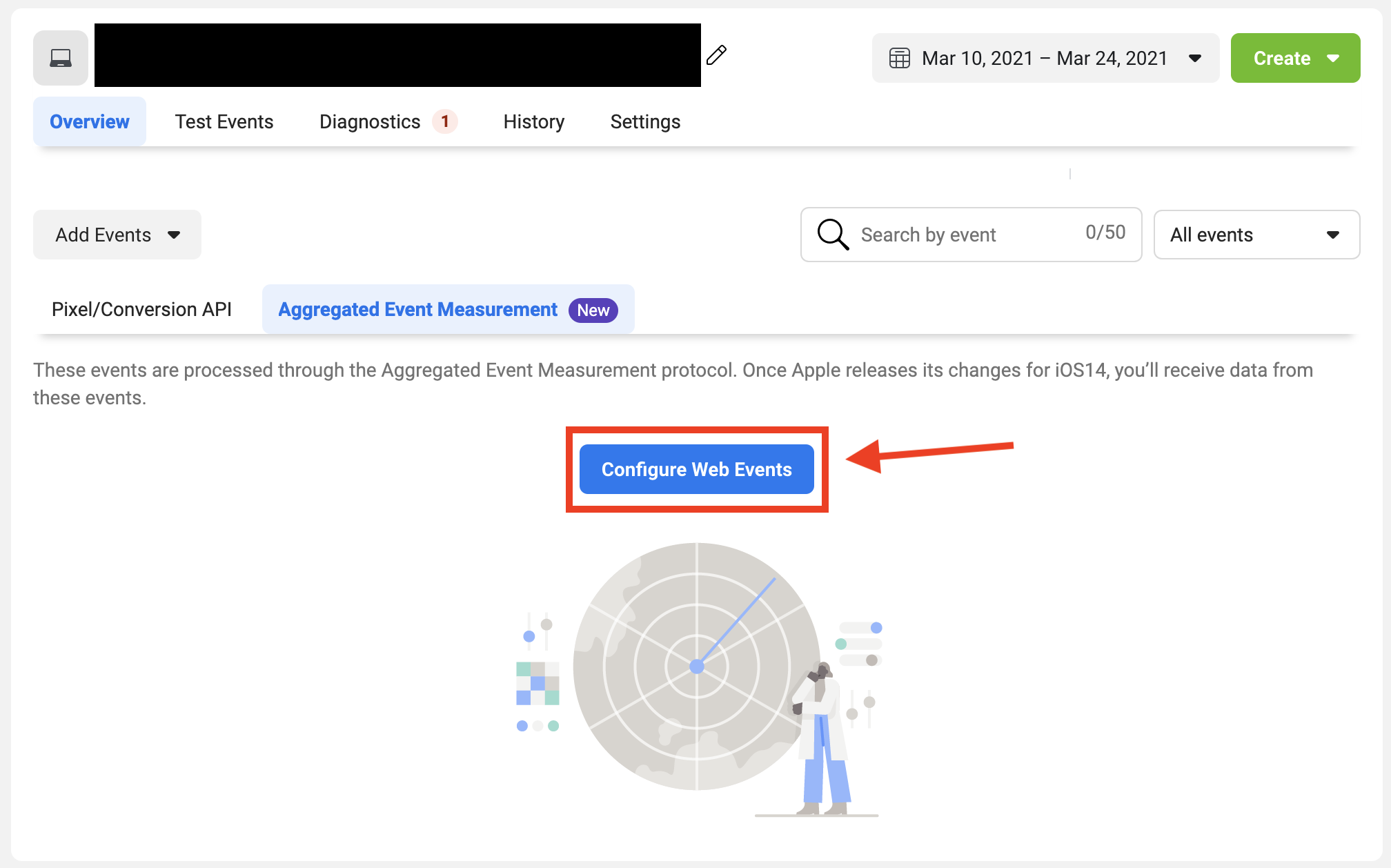
Note: You will have 1 domain assigned to your account for ASO across all apps, so you only need to do this verification one time for your account, and it will work for all your apps.
You can find the domain of your app on the App Overview page in the Details section:
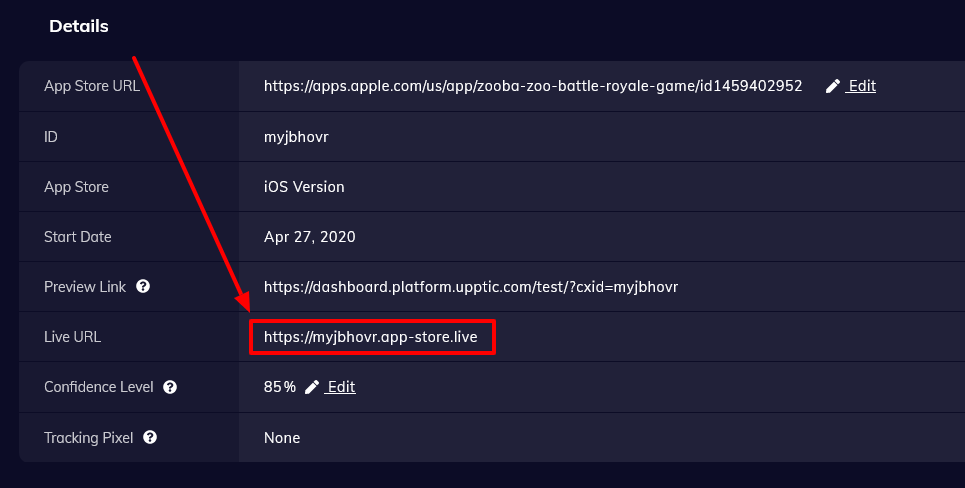
The format for you will look something like: app-store-ewusix.live
Continue verifying the domain:
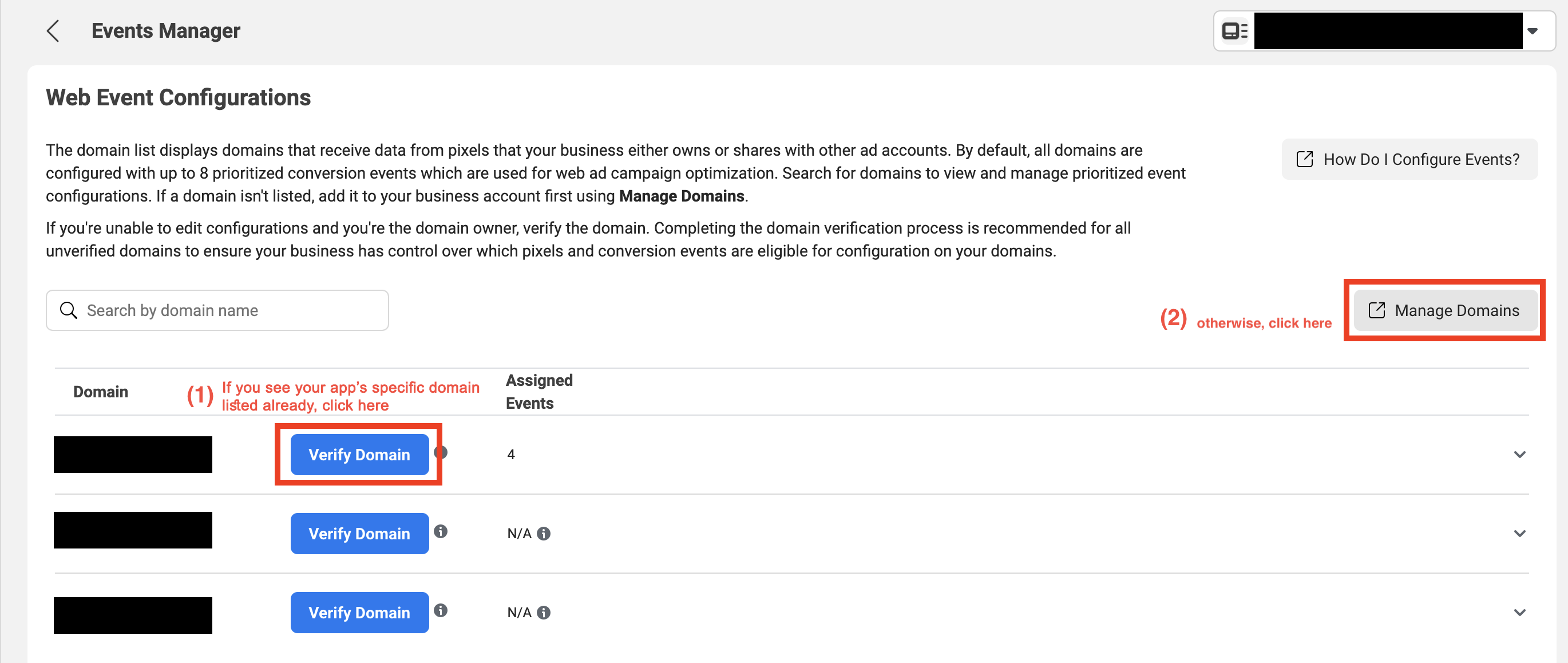
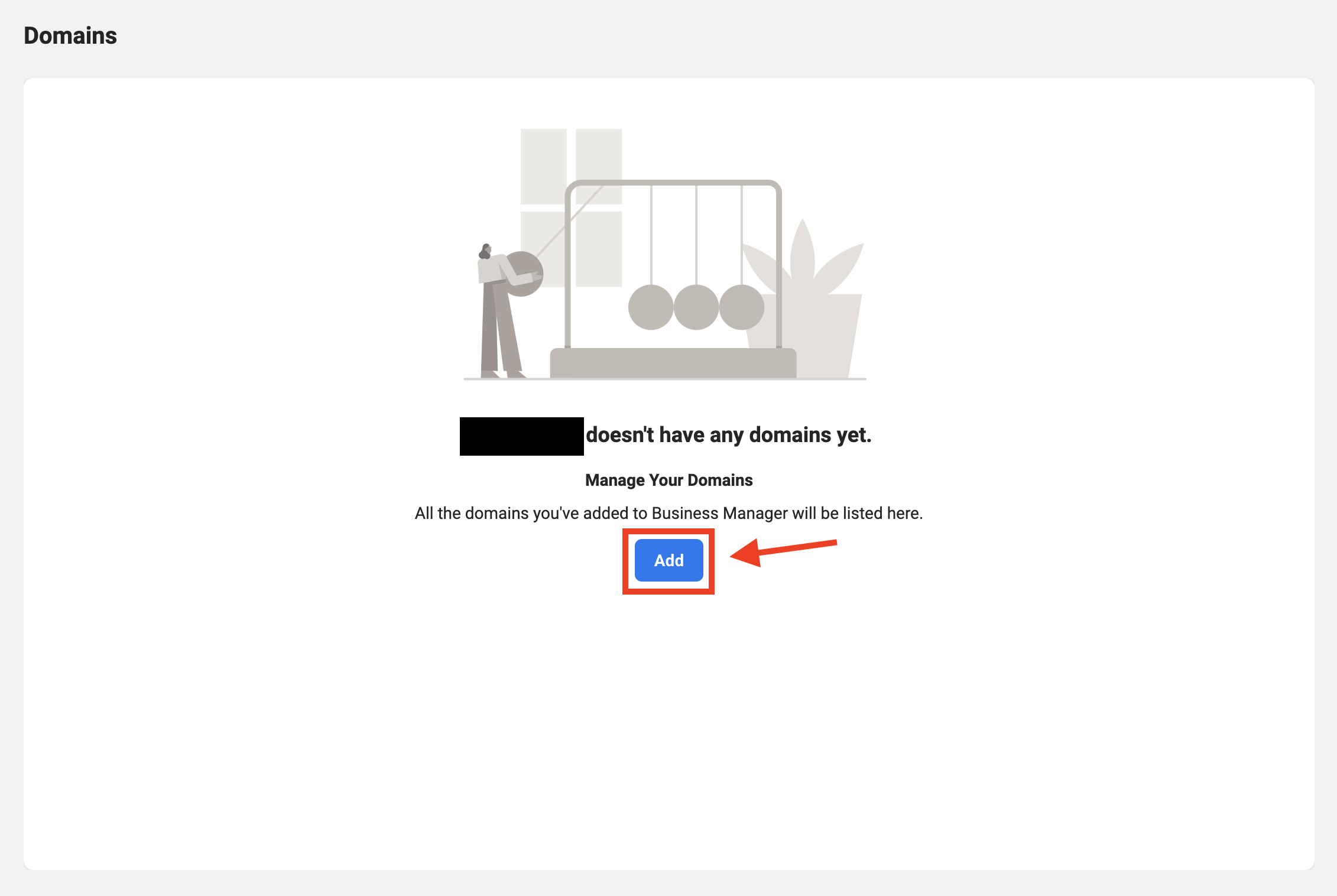
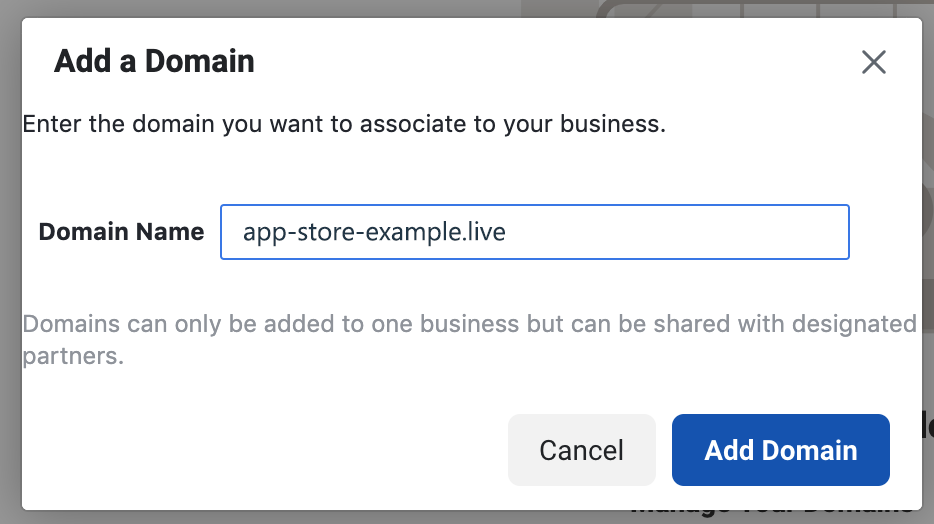
Then, instead of "app-store-example.live" as shown here enter in the specific domain of your app (e.g. "app-store-ewusix.live"):
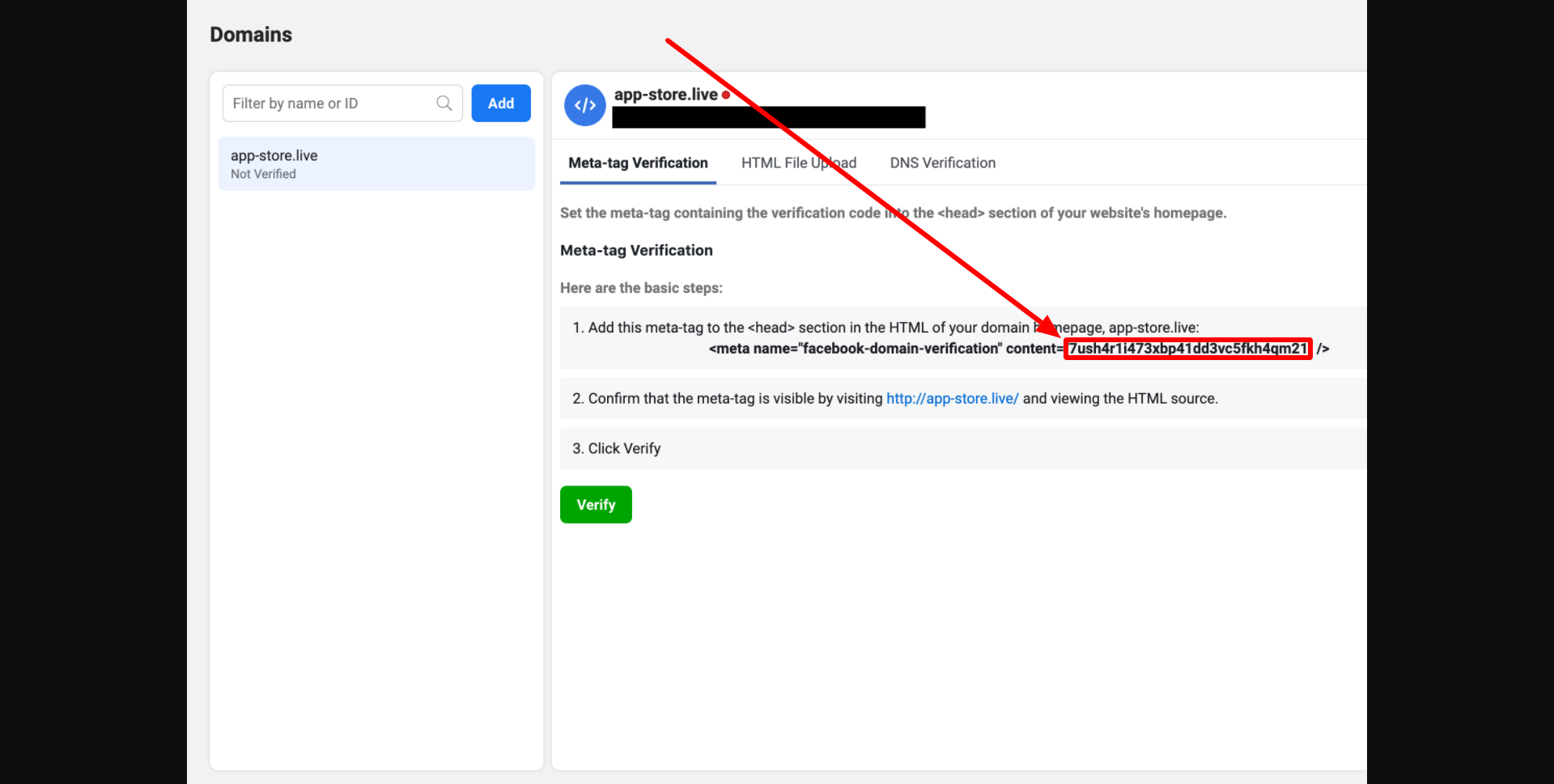
Copy ONLY the CONTENT string into the Upptic ASO Platform on the Tracking Pixel page:
All done!